
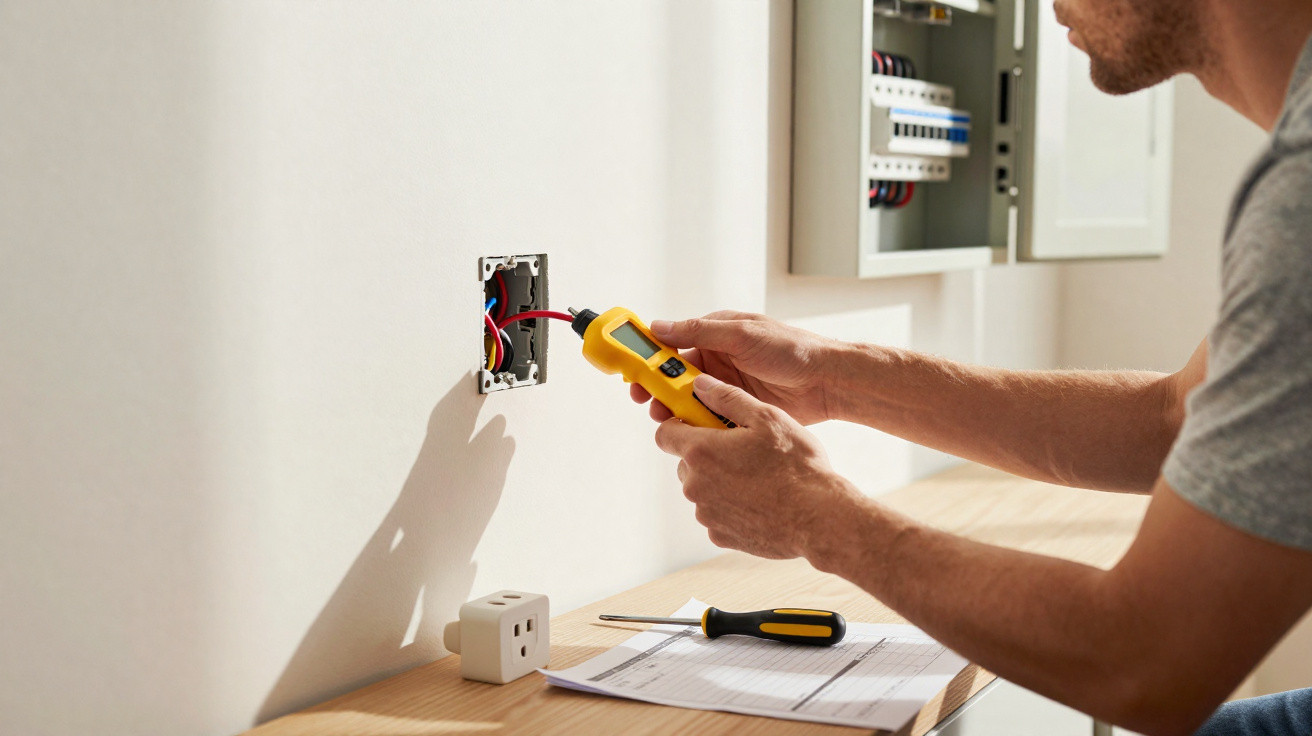
Anyone modernising their home in spring is likely to come across a popular upgrade: remove the old socket outlet and fit a new combination socket with USB ports. It sounds straightforward, eliminates the need for chargers and gives a decidedly professional finish. Yet, in reality, a surprising number of DIY enthusiasts are caught out by hidden issues inside the wall, sometimes exposing themselves to a serious electrical hazard.
Confirm the power is off before using a screwdriver – otherwise things can turn dangerous
Why switching off a breaker alone is not enough
The initial instinct is correct: go to the consumer unit, switch off the relevant circuit breaker, give it a quick acknowledgement and start work. This is precisely where a dangerous trap can arise. Particularly in older homes, the labels at the consumer unit often no longer reflect the actual wiring. Circuits may have been altered, rooms remodelled and labels faded.
As a result, the cable believed to be isolated may still be live, either partly or fully. Anyone removing the old socket outlet could then be working directly on exposed, energised conductors.
“Complete isolation can only be verified using suitable test equipment – never simply by switching off a breaker.”
A reliable voltage tester is essential
Cheap screwdriver-style phase testers from the bargain bin have no place in a domestic electrical installation. They can react unreliably and may fail to detect dangerous residual voltage. Anyone working on 230 volts needs a proper two-pole voltage tester.
- Two-pole voltage tester (for example, a “Duspol” type): clearly indicates whether voltage is present.
- Test between live and neutral – and between live and protective earth.
- Only start work once “0 volts” is shown everywhere.
This check must always be carried out immediately before work begins: test first, then touch. Anyone who does not feel confident or does not own suitable test equipment should leave the installation of a USB socket to an electrician – full stop.
The space problem inside the wall: why many USB inserts do not fit
Standard flush-mounted box versus USB technology: 30 mm against 40 mm
A USB socket may appear harmless from the front. Behind it, however, sits a complete switch-mode power supply containing electronics and a transformer. This needs considerably more room than an ordinary socket insert.
Many older walls still contain shallow flush-mounted boxes around 30 millimetres deep. They are adequate for basic inserts, but the bulky USB unit will not fit.
“Most USB sockets require a flush-mounted box at least 40 millimetres deep – and 50 millimetres is often more comfortable.”
Attempting to force the unit into place causes several problems at once:
- Conductors may be bent too sharply or crushed.
- The socket front will not sit neatly against the plaster.
- Screws cannot be tightened correctly, allowing connection points to become loose.
If the box is too shallow: dusty work, but no disaster when done properly
If installation reveals that the existing box is too shallow, it must be replaced. In practical terms, this means cutting back the plaster, removing the old box, fitting a deeper one and replastering the area.
That may sound laborious, but it delivers a safe installation for the long term. It is the only way to ensure the substantial USB insert is securely mounted, the conductors can be routed with sufficient bend radii and the cover sits flush with the wall.
Even the smartest USB socket is useless without the right protection at the consumer unit
Circuit breaker: 16 A is required for this circuit
Adding charging electronics to an existing circuit changes its load. It is therefore worth checking the consumer unit. Compliant socket circuits are subject to clear rules, which essentially apply here too:
- The circuit concerned requires a suitable circuit breaker, typically 16 A.
- Cable cross-sections must match that protective rating.
- The USB socket must be approved for use on such a circuit.
Undersized cables protected by an excessively high-rated breaker, combined with a permanently loaded power supply in the wall, can in extreme cases lead to overheating and fire.
30 mA residual current device: a life-saving standard
As well as overload protection, a modern residual current device (RCD) with a 30 milliamps trip rating is essential for personal protection. This device trips when current flows via an unintended path – for example, through a person’s body to earth.
“No 30 mA RCD on the circuit means no safe operation, regardless of how high-quality the USB socket may be.”
Where this protective device is absent, a qualified electrical contractor should upgrade the electrical distribution board. In older properties especially, this is a good opportunity for a broader inspection of the installation.
Quality matters: cheap USB inserts can harm both devices and the home
Avoid unbranded budget models without approval marks
Online retailers and DIY stores are full of inexpensive USB sockets. Their price can be tempting, but internal safety is often where corners have been cut. If the packaging lacks trustworthy approval marks, caution is justified.
- Reputable products display recognised approval marks, such as CE and national standards marks.
- The manufacturer and technical specifications must be clearly identifiable.
- Installation instructions should be more than a sheet of pictograms.
A poor-quality insert may become hot during continuous use, its components may age more quickly and solder joints may fail. In the less serious case, a phone simply charges painfully slowly; in the worst case, smouldering damage can develop inside the wall.
Charging output: below 2.4 A per port soon becomes frustrating
Anyone undertaking the upgrade will want not only safety but also rapid charging. Modern smartphones and tablets remain connected for a long time when only a low current is available.
A practical minimum is:
| Device type | Recommended minimum output per USB port |
|---|---|
| Smartphone | 5 V / 2.4 A |
| Tablet | 5 V / 2.4–3.0 A |
| Smaller gadgets (headphones, smartwatch) | 5 V / 1.0 A sufficient |
When buying a combination socket with two USB ports, check carefully whether the stated current applies to each port or only represents the total output. For instance, if it says “2.4 A total”, that output is shared between both connections – and charging times can quickly double.
DIY checklist: making USB socket installation genuinely safe
Before buying: plan rather than face surprises
Before opening up any walls, it helps to answer a few clear questions:
- How deep are the existing flush-mounted boxes in the intended locations?
- Is the relevant circuit correctly labelled and protected by 16 A?
- Does a 30 mA RCD protect this area of the home?
- Do I own a two-pole voltage tester, and can I use it correctly?
Anyone answering “no” to any one of these questions should seriously consider leaving the installation to a professional, or at least obtaining professional assistance.
During installation: proceed step by step, without rushing
Many problems during the actual replacement stem from haste or overconfidence. A sensible installation process is as follows:
- Switch off the appropriate circuit breaker.
- Use a two-pole voltage tester to verify isolation at all relevant contacts.
- Carefully remove the cover and old insert.
- Inspect the flush-mounted box; if it is not deep enough, replace it with a deeper model.
- Strip the conductors to the correct length and route them neatly into the terminals of the new insert.
- Fit the USB insert into the box without crushing the conductors.
- Install the cover and check that it is secure and flush against the wall.
- Switch the breaker back on, test the RCD and carry out a trial charging process.
Everyday safety: what many people underestimate about USB sockets
USB sockets frequently operate continuously, even when nothing is plugged in. Their integrated power supply remains connected to the mains and warms up. High-quality models limit this standby consumption and use better components. Anyone prioritising safety should therefore consider not only the price, but also the stated power loss and efficiency class.
There is another consideration: not every device responds equally well to permanently installed USB power supplies. Some smartphones achieve their full fast-charging capability only with their original chargers. People particularly concerned with battery health often combine USB sockets with conventional earthed sockets, while continuing to use high-quality branded plug-in power supplies for longer or faster charging.
One further practical point is that, when several USB sockets are distributed around one room, their continuous loads add up on the relevant circuit. This is particularly worth considering where many devices already operate there, such as a television, sound system and router. Checking how many appliances are genuinely used at the same time in everyday life is worthwhile. A circuit planned with foresight prevents later inconvenience – and, in serious cases, damage.






Comments
No comments yet. Be the first to comment!
Leave a Comment