
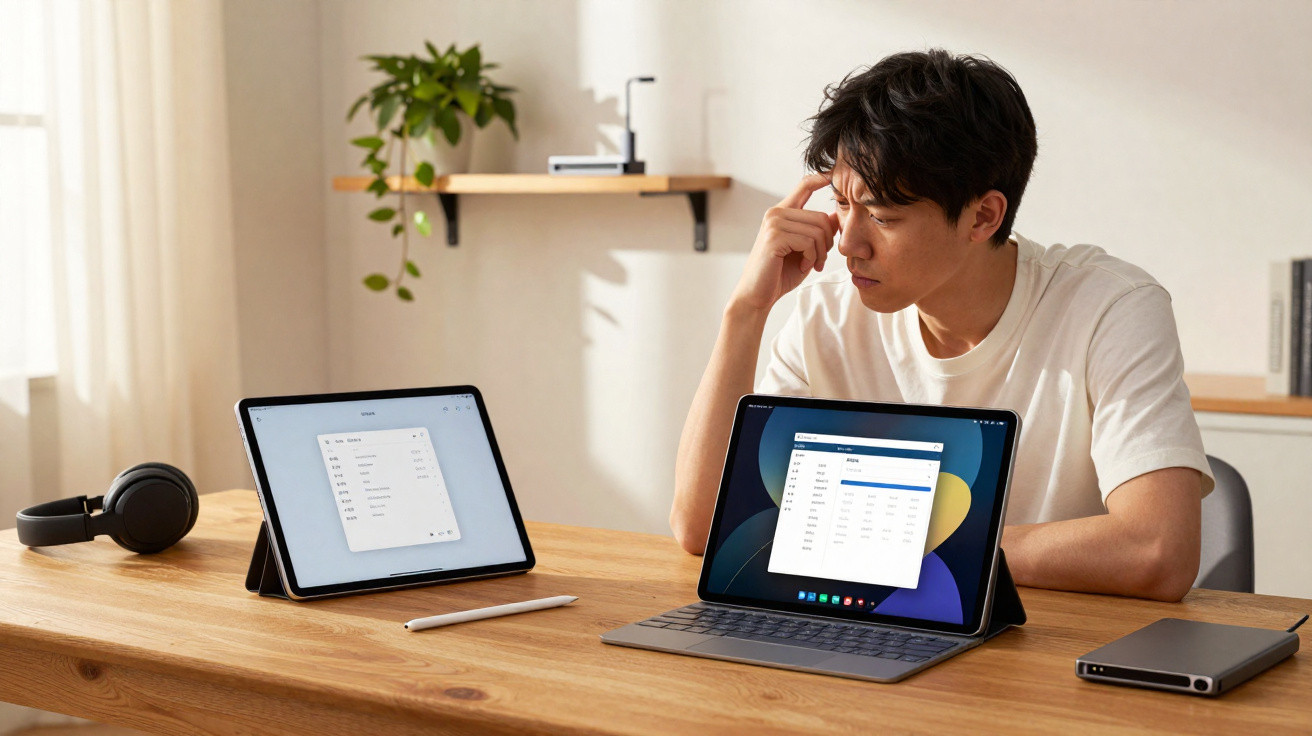
My iPad Pro felt uneasy in my hands for the first time.
The Galaxy Tab S11 does not redefine the premium-tablet formula, but it subtly changes the equation. Having used it for a week as both my primary work device and sofa companion, I no longer saw the iPad Pro as the automatic choice.
Design and feel: Android finally feels as “pro” as iPad
Samsung has avoided attention-grabbing design changes this year. The Tab S11 is very similar in appearance to its predecessor, with flat sides, an aluminium chassis and restrained branding. It may sound unexciting, but its construction immediately projects a purposeful, work-oriented character.
The Tab S11 finally feels like an Android tablet you can drop on a boardroom table without envying an iPad Pro.
Measuring 5.5 mm thick and weighing roughly 470 g, the 11-inch version feels comparable to Apple’s newest Pro model in the hand. It remains light enough for extended reading, while retaining sufficient heft to avoid feeling inexpensive. There is no flex in the frame, no creaking from the rear panel, and the button cut-outs are exceptionally neatly machined.
The selection of ports and controls is refreshingly uncomplicated:
- A power key and volume rocker along the edge
- A USB-C connection for charging and data transfer
- An optional SIM tray on 5G versions
- Rear pogo pins for the keyboard cover
- Four speaker grilles positioned around the chassis
The colour choices - a distinctly corporate silver and dark grey - are unlikely to be praised for their imagination. However, both complement laptops and external displays well, which is more useful day to day than looking striking in Instagram photos.
Audio: better than most laptops on your desk
Samsung’s four speakers offer more than visual symmetry. From moderate to high volumes, the Tab S11 produces a broad, persuasive soundstage, controlled low end and notably clean mid-range frequencies. Films and YouTube videos sound more like they are coming from a compact soundbar than a slender tablet.
Dolby Atmos processing expands the stereo presentation in games and streaming applications. Bass can become slightly blurred when the volume is pushed with Atmos content containing especially powerful low frequencies, but this is an unusual scenario. For the vast majority of users, the tablet can easily stand in for an inexpensive Bluetooth speaker.
Display: the screen that makes iPad owners look twice
An 11-inch AMOLED display dominates the front, offering 2,560 x 1,600 resolution and a refresh rate of up to 120 Hz. Placed on a desk alongside an iPad Pro, it matches that device remarkably well for brightness and colour impact.
The Tab S11’s AMOLED doesn’t just look good for Android; it reaches the level where iPad Pro users will check what they’re missing.
Colours are a little vivid by default, although Samsung now provides a properly neutral “Natural” setting for users handling photographs or design materials. HDR compatibility delivers impressive highlights in supported video, while peak brightness reaches about 1,600 nits. As a result, emails and documents remain legible outdoors, including on a bright autumn day.
The 120 Hz mode can operate adaptively, increasing or reducing the refresh rate to preserve battery life, or it can be fixed at 60 Hz for those prioritising efficiency. In everyday use, scrolling and multitasking are instantly smooth. Moving through home screens and lengthy web pages feels closer to using a laptop with a high-refresh-rate screen than a mid-range tablet.
Why this matters beyond Netflix
A display at this standard alters the way tablets can be used. Reading PDFs, processing RAW images and colour-grading social videos become practical laptop alternatives rather than compromised solutions, particularly with the S Pen and DeX mode involved.
Performance: not Apple silicon, but fast enough to forget specs
Samsung has fitted the tablet with a MediaTek Dimensity 9400+ and 12 GB of RAM. Benchmark results place it behind Apple’s latest M-series processor in outright performance, yet that difference is largely theoretical unless your work involves demanding exports, such as 4K video timelines.
In real-world use, applications open without delay, three-window multitasking in DeX remains fluid, and intensive titles such as Genshin Impact run at 60 fps using high graphics settings. Heat control is equally impressive: after lengthy gaming sessions, the centre of the rear becomes warm, but never uncomfortably so.
Its connectivity specification is current without being excessive: Wi-Fi 6E, Bluetooth 5.4 and optional 5G are included. Wi-Fi 7 is exclusive to the Tab S11 Ultra, which may frustrate specification-focused buyers, although it is unlikely to affect most domestic or office networks for some time.
Storage and expansion: an underrated advantage
The Tab S11 is available from 128 GB and supports microSD cards of up to 2 TB. That one slot materially changes the proposition for anyone carrying extensive comic collections, downloaded Netflix series or RAW photo libraries.
Where Apple charges heavily for more storage, Samsung quietly adds a microSD slot and leaves you to manage your own terabytes.
Software and AI: DeX grows up, Galaxy AI grows useful
The tablet arrives with Android 16 and Samsung’s One UI 8, alongside a promise of seven years of updates. Such a long support period makes it feel more like a long-term laptop purchase than a disposable display.
Samsung continues to pre-install a crowded combination of Google, Microsoft and proprietary applications. Some users will welcome Office being ready to use, while others will immediately conceal half of the app icons. Once unnecessary software has been tidied away, the operating system is stable and predictable.
Galaxy AI and Gemini: small boosts, not magic tricks
Samsung is placing considerable emphasis on AI this year. In everyday use, its tools amount to several features that are genuinely helpful:
- Automated webpage translation and text-to-speech for lengthy articles
- Text summaries for documents and notes
- Writing assistance for reports and emails
- Basic image generation for quick graphics and thumbnails
They are not substitutes for a full creative suite, but they can remove minutes from repetitive work. Together with Gemini and Gemini Live for voice requests, they make the tablet a capable device for research and drafting from the sofa.
DeX mode: where the iPad finally looks rigid
DeX remains Samsung’s understated strength. A single tap transforms the Tab S11 from a touch-led interface into a desktop-like workspace featuring a taskbar, resizable windows and keyboard shortcuts. On the 11-inch panel, this makes proper multitasking substantially more comfortable than using the iPad’s split view.
Attach a keyboard, launch DeX, and the Tab S11 stops behaving like a big phone. It starts acting like a small laptop.
Some shortcomings remain: certain Android apps still scale poorly or persist with mobile-style layouts, although matters are better than they were two or three years ago. For anyone whose typical day centres on Chrome, a writing application, Slack and a photo editor, it already works well enough to leave a lightweight laptop at home.
Camera and video: good enough, and slightly ahead of iPad where it counts
Samsung has plainly accepted that tablets are rarely used as primary cameras. The rear system is now a single 13 MP sensor, with the ultra-wide camera removed. At the front is a 12 MP camera intended for video calling.
Photos in daylight are respectable, producing sharp detail, balanced exposure and colours aligned with Samsung’s phone range. Image quality deteriorates rapidly beyond 2x zoom, though this is unsurprising with a single-sensor arrangement. The camera app still includes Food, Panorama, Portrait and Night modes for quick creative use when needed.
The front camera becomes quietly more important in 2025. Hybrid working and regular family calls require clean, properly lit video, and the Tab S11 performs marginally better here than the current iPad Pro, particularly in darker rooms. During evening calls, faces retain more detail and show less noise.
Video recording reaches 4K 30 fps on either camera. For a device at a “Pro”-level price, the lack of 60 fps will disappoint some users, especially creators filming B-roll or social clips directly on the tablet.
Battery life and charging: good, but shy of the marketing
Power comes from an 8,400 mAh battery. Samsung claims up to 18 hours of usage, but my real-world results were nearer the following:
| Scenario | Observed battery life |
|---|---|
| Continuous YouTube streaming (Wi-Fi, 120 Hz) | ~10 hours |
| Mixed work (DeX, email, Chrome, notes, light editing) | ~12 hours |
| Idle overnight, Wi-Fi on | Small but noticeable drain |
For a premium 11-inch tablet, these results are best described as adequate rather than exceptional. Completing a full working day is realistic, but a charger-free weekend away is less achievable if you spend heavily on gaming or streaming.
USB-C charging supports up to 45 W. In around 50 minutes, the battery can rise from empty to approximately 80%, which is useful for a quick charge between meetings. As is now customary, no charger is supplied, so buyers without a compatible power adaptor must include one in their budget.
Why this tablet made me doubt my iPad Pro
For years, the iPad Pro appeared unchallenged in three respects: build quality, performance reserve and an ecosystem of tablet-optimised applications. The Tab S11 does not surpass Apple in raw processing power or specialised tablet software, but it narrows the gap across enough related areas that choosing between them is no longer straightforward.
The choice is no longer “iPad Pro or compromise”. The Galaxy Tab S11 is a credible first pick, not just an Android alternative.
Samsung changes the discussion in several ways:
- Seven years of Android and One UI updates match Apple’s lengthy support cycle.
- microSD expansion offsets Apple’s costly storage tiers for users with substantial media collections.
- DeX provides a more adaptable windowed workspace than iPadOS for keyboard-and-mouse productivity.
- The S Pen is supplied in the box, whereas Apple continues to sell its pencil separately.
For users who frequently connect a tablet to an external monitor or use one as a second display beside a Windows laptop, Samsung’s system fits more naturally into existing workflows. The iPad remains excellent for creative software such as Procreate, LumaFusion and Logic, but the Tab S11 comes closer than any previous Android slate in everyday productivity.
Who should actually buy the Galaxy Tab S11?
The Tab S11 is particularly well suited to several types of buyer:
- Android phone owners seeking close continuity without changing ecosystems.
- Students requiring a note-taking and research device that can also serve as a lightweight laptop.
- Remote workers using Google Workspace or Microsoft 365 who value DeX’s desktop-style environment.
- Media enthusiasts who prioritise OLED, strong speakers and expandable storage.
Photographers and video editors dependent on particular iPad applications may still be better served by Apple. Frequent travellers who need the longest possible runtime from one charge may likewise favour an M-series iPad or an ultraportable laptop.
The most compelling audience sits between those two groups: people whose laptop already handles the demanding work, but who need a flexible second device for reading, light editing, calls and entertainment with equal confidence. For them, the Galaxy Tab S11 has finally progressed from “maybe, if you hate iOS” to a serious first choice that could leave an iPad Pro sitting on the shop shelf for longer.


Comments
No comments yet. Be the first to comment!
Leave a Comment