
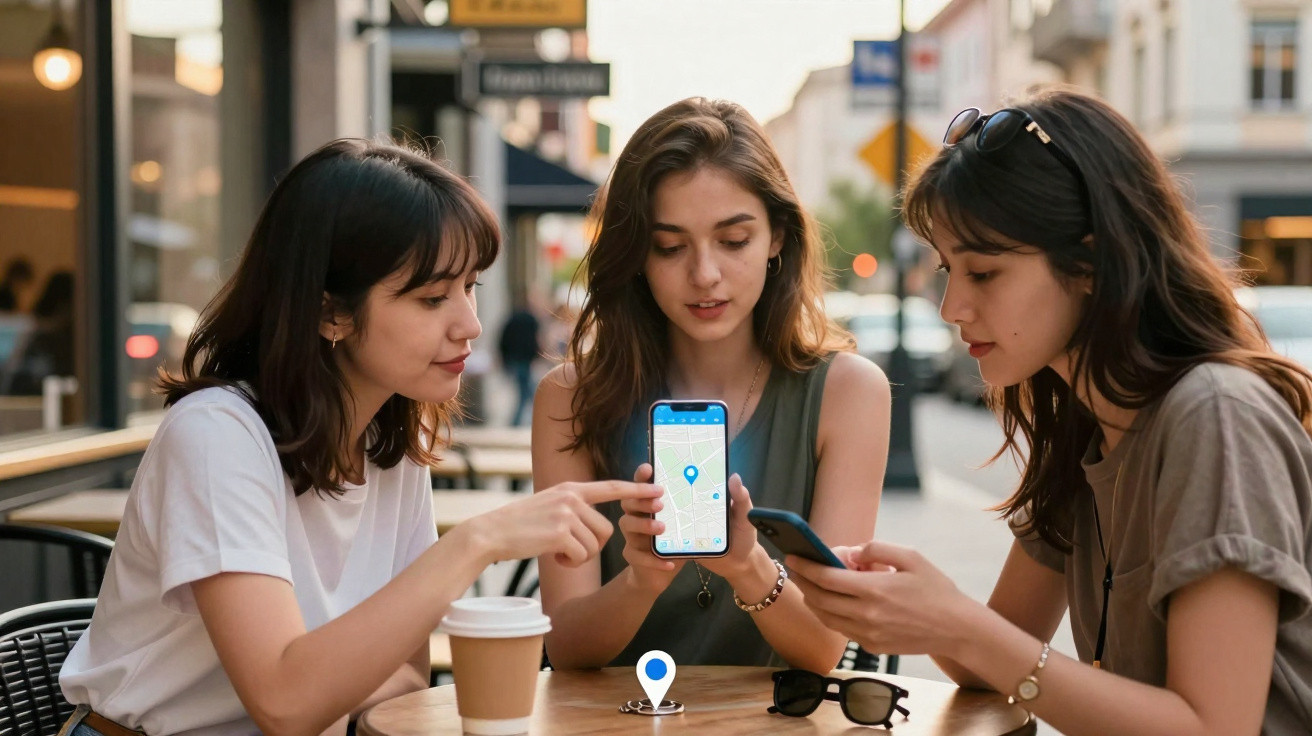
At first glance, the change looks minor: an extra button above the map. Yet for millions of mobile users, this small control in Google Maps could make a noticeable difference when meeting friends, collecting children or dealing with an emergency – because a single tap sends their location to the right contact more quickly.
What is changing: a new Share button directly on the map
Until now, Google Maps has hidden its location-sharing feature behind the small blue dot marking the current position. People unfamiliar with this gesture often do not find the option at all. The new feature addresses exactly that issue.
An additional button featuring a location pin and sharing icon is clearly displayed above the map, bringing the option to share your own location to the foreground.
In the Android version of Google Maps currently being tested, the button works as follows:
- Tapping it centres the map on the user's own position.
- The compass can also be used from this point.
- The familiar menu for sharing a location opens more quickly and directly.
- If the map is moved, the button disappears automatically.
Google is therefore giving greater prominence to a feature that has previously been something of a hidden tip. In particular, less tech-confident users are likely to benefit because they no longer need to search through menus.
Why Google Maps is redesigning its interface
The new button forms part of a broader interface experiment. Google is simultaneously working on a revised navigation menu that rearranges familiar elements in a different way at first glance.
Rather than a simple list of text-based entries, the test version displays a grid with larger icons. It is more reminiscent of app icons and is intended to make tapping easier on a smartphone, particularly when using one hand.
Some features that many people rarely use are removed from the immediate view:
- “Satellite” – the aerial imagery view will instead be found in the settings.
- “Traffic” – congestion and traffic information is also being hidden.
- Journey progress sharing – this option is currently absent from the test interface altogether.
The final point in particular may concern commuters and parents. Many people use this feature so others can see live where they are on a journey and when they will arrive. Its temporary disappearance in the new test version demonstrates how extensively Google is reworking the interface.
More convenience – and more responsibility for users
The more visible location sharing becomes in the interface, the more often people are likely to use it in everyday life. That can be useful, but it also carries risks when sharing permissions are granted too freely or simply forgotten.
Anyone sharing location data always gives up part of their freedom of movement – to friends, apps and, potentially, companies.
Germany's Federal Office for Information Security (BSI) has advised people for years to handle smartphone GPS data carefully. Its recommendation is based on a straightforward rule of thumb: as much convenience as necessary, but as little permanent sharing as possible.
BSI recommendations for location sharing
The security guidance provides several clear principles that can help in everyday situations:
- Share only for a specific reason: Enable location sharing when arranging to meet someone, helping someone get home safely or needing assistance – not on a permanent basis.
- Set a time limit: In Maps and other apps, choose an option such as “for one hour” or “until arrival” wherever possible, rather than “permanently”.
- Turn sharing off again: After the meeting or journey, check whether sharing is still active and deliberately end it.
- Review app permissions: Regularly check in smartphone settings which apps are allowed ongoing access to location data.
- Prefer “Only while using the app”: Where available, set permissions so that an app receives location data only while it is in use.
This reduces the risk of unnoticed movement profiles being created, which can reveal highly private information, including workplaces, medical appointments, regular leisure activities and a home address.
Who the new Google Maps button could help most
The test button in Google Maps is likely to be particularly useful for three groups:
- Families: Parents can share or request their children's location more quickly, for example on the way to school or during outings.
- Groups of friends: At concerts, town festivals or in shopping centres, users can post their location more easily in a messaging group.
- Travellers: Anyone abroad can send their precise location to hotels or hosts with one tap if an address is unclear.
A typical situation might be missing the correct Underground station, sending a message, then quickly attaching a location using the new button. The other person can see exactly where the traveller is without asking further questions and adjust the route accordingly.
What remains unclear so far
The online platform “Android Authority” notes that all of this is still a test version. Google regularly experiments with new layouts, functions and icons without rolling out every change worldwide.
Three points in particular are currently unknown:
- When the new Share button will appear on all Android devices.
- Whether iOS users will receive the button in the same form.
- Whether Google will restore the removed or hidden menu options to a prominent position.
The journey progress sharing feature is likely to be of particular interest to many users. The test suggests that Google is trying to streamline the interface, but risks disrupting established ways of using it.
Sharing location: practical examples and pitfalls
Anyone wishing to use the new button in future should be aware of common mistakes. One frequent example is permanently sharing a location with someone because it is “convenient”, then forgetting about the permission for weeks.
Another issue arises when several apps access location data at the same time. A navigation app, fitness tracker and social media app can each collect and analyse data, and may in some cases link it with third parties.
| Scenario | Recommended setting |
|---|---|
| Meeting friends in town | Share location for 30–60 minutes, then end automatically |
| Collection from the railway station | Share journey progress or until arrival, not permanently |
| Jogging with a fitness app | Location “only while using the app”, with no background tracking |
| Taxi or ride-sharing service | Keep location active for the journey, then check and revoke it if necessary |
How users can prepare for the change
Even if the button is not yet visible in a user's app version, it is worth taking a brief look at the settings:
- Check in Android or iOS which apps can access location “Always”.
- Review and test the location-sharing options in Google Maps.
- Agree with family members when location sharing is helpful – and when it is not.
Anyone who completes these preparations now will be able to use the new button much more comfortably later. It can then remain a practical everyday tool rather than becoming a permanent window into a person's movement profile.



Comments
No comments yet. Be the first to comment!
Leave a Comment