
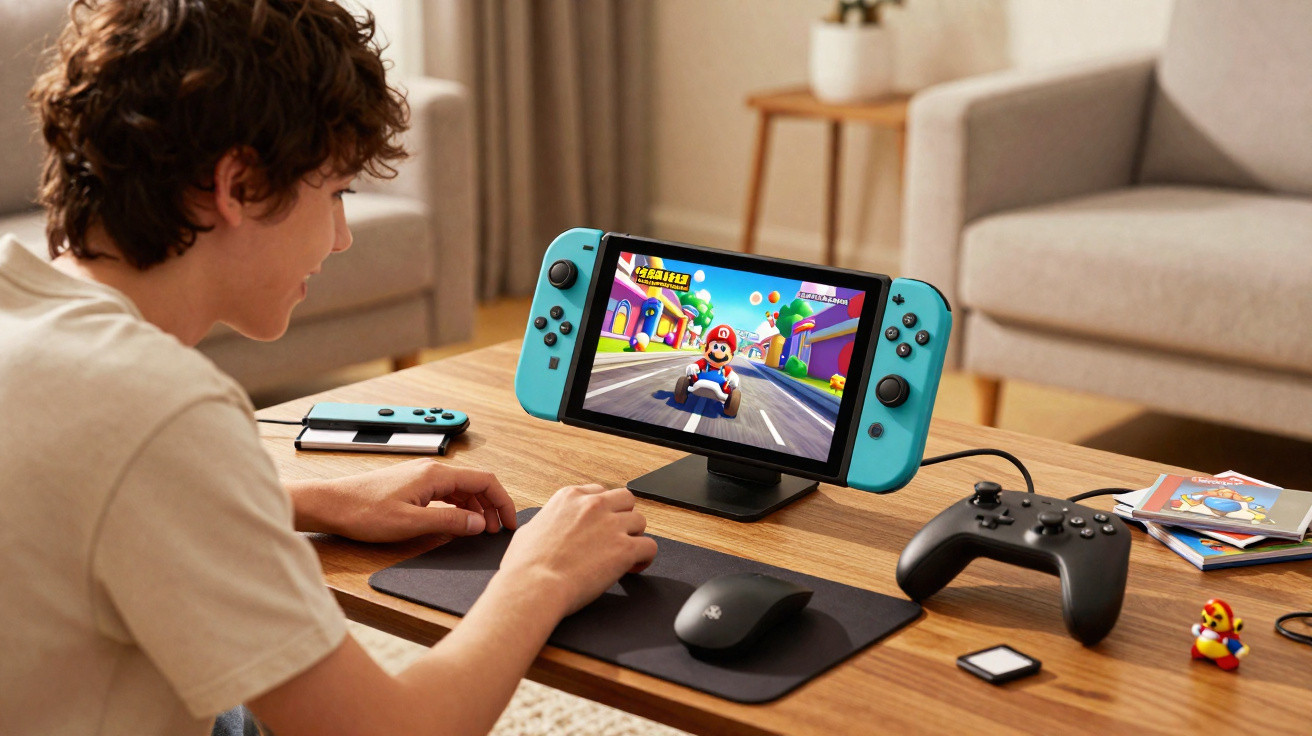
The Nintendo Switch arrived on 3 March 2017, rescuing gaming’s most recognisable name from the Wii U’s slump while also reinvigorating and reshaping the handheld gaming market with its inventive hybrid design. More than eight years on, Nintendo has at last revealed its direct follow-up: Nintendo Switch 2.
The simple pitch is a larger, more powerful take on the console that has sold over 150 million units during its eight-plus-year lifespan. Yet after a lengthy recent hands-on session with Nintendo Switch 2, I came away genuinely impressed.
Hands-On with Nintendo Switch 2
Nintendo Switch 2’s streamlined appearance stands out immediately, whether it is viewed behind glass, as it was during my first meeting with the forthcoming console, or held while playing Mario Kart World, the eagerly awaited launch game. Its 7.9-inch LCD display appears large even beside the 7-inch Switch OLED model, while it completely overshadows the original Switch’s 6.2-inch screen.
At first, I was worried to learn that Nintendo had chosen an LCD rather than OLED, which ought to be the standard for handheld hardware from here onwards. However, the people behind the system are assured that they made the right display choice.
“There are a lot of advancements that have been made in LCD technology,” Nintendo Switch 2 hardware design lead Tetsuya Sasaki says during a Switch 2 developer roundtable. “During the development, we took a look at the LCD technology that was available to us now, and after a lot of consideration, we decided to stick with LCD.”
Those early concerns vanished as soon as I launched Mario Kart World in my first hands-on session. The 1080p image and fluid frame rate look excellent on a display of this size. Supporting up to 120 frames per second, it offers outstanding performance in a body with the same thickness as the original Nintendo Switch. The biggest distinction I noticed during my Nintendo Switch 2 time, though, was its capacity to present richer colours and lighting through HDR.
Mario Kart World
“Even with the OLED version of Nintendo Switch, we hadn’t had support for HDR, but that’s something we have support for now,” Nintendo Switch 2 producer Kouichi Kawamoto says.
Although most demonstrations were played in docked TV mode, Mario Kart World also looks superb on the Switch 2 display. Nintendo further promotes improved Switch 2 speakers, though the noisy gameplay setting made them difficult to assess.
Nintendo Switch 2 display and tabletop play
For those who would rather use Tabletop mode, the kickstand is considerably sturdier and more adjustable than the original Switch’s, making this play style far more practical and flexible. I do not expect to fear accidentally breaking the stand off or finding it unstable.
While portable play is one of the chief draws of both Switch and Switch 2, I normally prefer playing on a television, which is where I spend most of my gaming time. Detaching the Joy-Con 2 controllers from Switch 2 is slightly less straightforward than using the original Switch’s rail system, but the button-release magnetic mechanism that secures them feels far more solid than Switch 1’s rails. Taking the Joy-Con 2 controllers off and reattaching them to Switch 2 involves a small learning curve, but after doing it several times-and discovering it is easier to connect the bottom first, then the top-I had it mastered.
I did not have a chance to test GameChat or the social features involving the built-in microphone and optional camera. I did, however, play camera-based games in the Nintendo Switch 2 Edition of Super Mario Party Jamboree. These games ask players to squat and stand when the Talking Flower from Super Mario Bros. Wonder instructs them to, wave a hand to strike a block as often as possible within a brief period, or simply move about and make as much noise as they can, and they function well. The camera effectively separated all four players in their side-by-side play areas, removed their backgrounds, and placed each person as an individual entity within the game environment.
There was just one instance in which the camera struggled to detect that a player had stood at the right moment, though that may have been because the player’s shirt was almost the same colour as the wall behind us. Beyond GameChat, the camera and microphone’s potential uses leave me hopeful about ideas developers could create for future games. After this short demonstration, the camera changed from a possible launch purchase to an essential one for me.
Civilization VII
Joy-Con 2 mouse controls and the Pro Controller
Although the camera is used effectively, the Joy-Con 2 mouse feature may have been the most welcome surprise of the entire demonstration. Turning a supported Joy-Con 2 onto its side activates mouse controls immediately. Nintendo Switch 2 versions of Civilization VII and Metroid Prime 4: Beyond support this feature, and rather than selecting it through a menu, you simply rotate the Joy-Con 2 and set it on a table or even on your leg. I was astonished that a simple twist of my wrist let me switch from conventional Civ VII controls to a blended scheme in which the left Joy-Con operated much like a PC’s WASD keys and the right Joy-Con became a mouse. Likewise, during Metroid Prime 4: Beyond, I could move from standard FPS controls, with motion controls for precise aiming, to mouse-style aiming without opening a menu at all.
It is not only easy to activate in these situations; it also performs remarkably well. Small pads along the Joy-Con 2 sides meant I never felt I might damage a controller, even while making forceful mouse movements in the wheelchair basketball game Drag x Drive or the new Super Mario Party Jamboree mouse minigames.
For the remaining games I tried, I used the Switch 2 Pro Controller. It resembles the original Switch version but has two differences: a C-button for GameChat and two assignable rear buttons, similar to those on premium controllers. The rear buttons were not assigned during my play sessions, but as somebody who regularly uses them on an Xbox Elite Controller, I am pleased to have additional options on this new Pro Controller. Still, anyone who owns a Switch Pro Controller and does not wish to spend more solely for the rear buttons and C-button should know that every Switch 1 accessory works with Switch 2.
Nintendo Switch 2 features and launch date
Taken alongside the Switch brand’s established success, a strong opening game line-up, and features including 256 GB of internal storage, extensive backwards compatibility, and larger SL and SR buttons for more comfortable sideways Joy-Con play, my Nintendo Switch 2 hands-on impressions suggest it is a fitting successor to one of the best-selling video game systems ever made. With roughly two months remaining before release, I am already looking forward to getting my own Switch 2 and starting Nintendo’s long-awaited next era.
Nintendo Switch 2 launches on 5 June.
Comments
No comments yet. Be the first to comment!
Leave a Comment